 VesselTill
Getting started
A free till app for small shops: no sign-up, no monthly fee
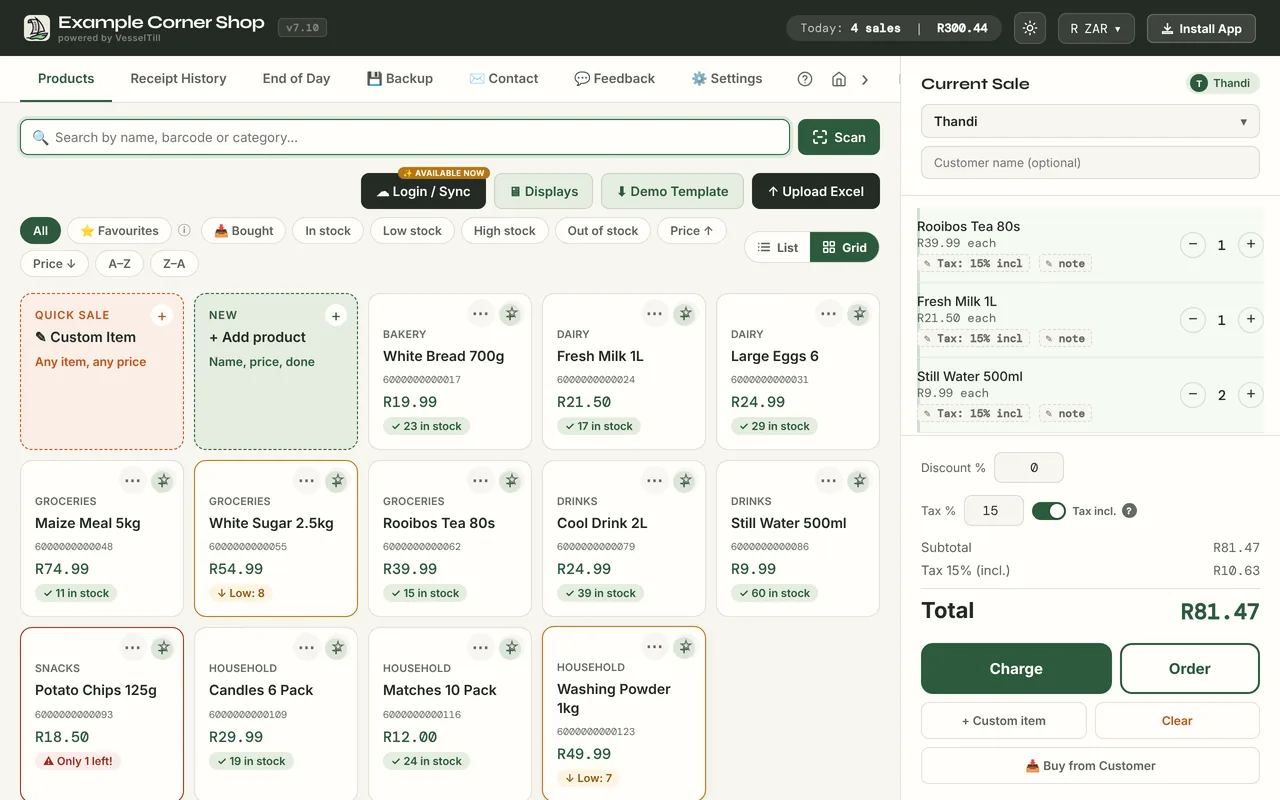
VesselTill is a free till app you open in the browser on your phone, tablet or computer. There is no sign-up, no monthly fee and no cut of your sales: products, stock, receipts, returns, reports and cash-up are all in the free version. Only Sync, an optional extra for Google Drive backup and more devices, is paid.
Till, POS system or cash register?
They are three names for the same thing: what you use to ring up a sale, take payment and give a receipt. So if you are looking for a free POS system with no subscription and no sign-up, a free till app is exactly that. VesselTill is an online till in one sense only: you open it at a web address instead of installing a program. Once it has loaded, it also works with no internet.
One honest note on fees. VesselTill has no processing fee because it does not process payments. It records the sale, and you take card or QR payments with your own provider.
What you get for free
The free version is the whole till for one device, not a trial. There is no countdown and no card to enter. It includes:
- Products and stock. Add products by hand or upload an Excel list. Stock goes down as you sell, low-stock items are easy to spot, and returns put stock back.
- Barcode scanning with the phone camera or a USB barcode scanner.
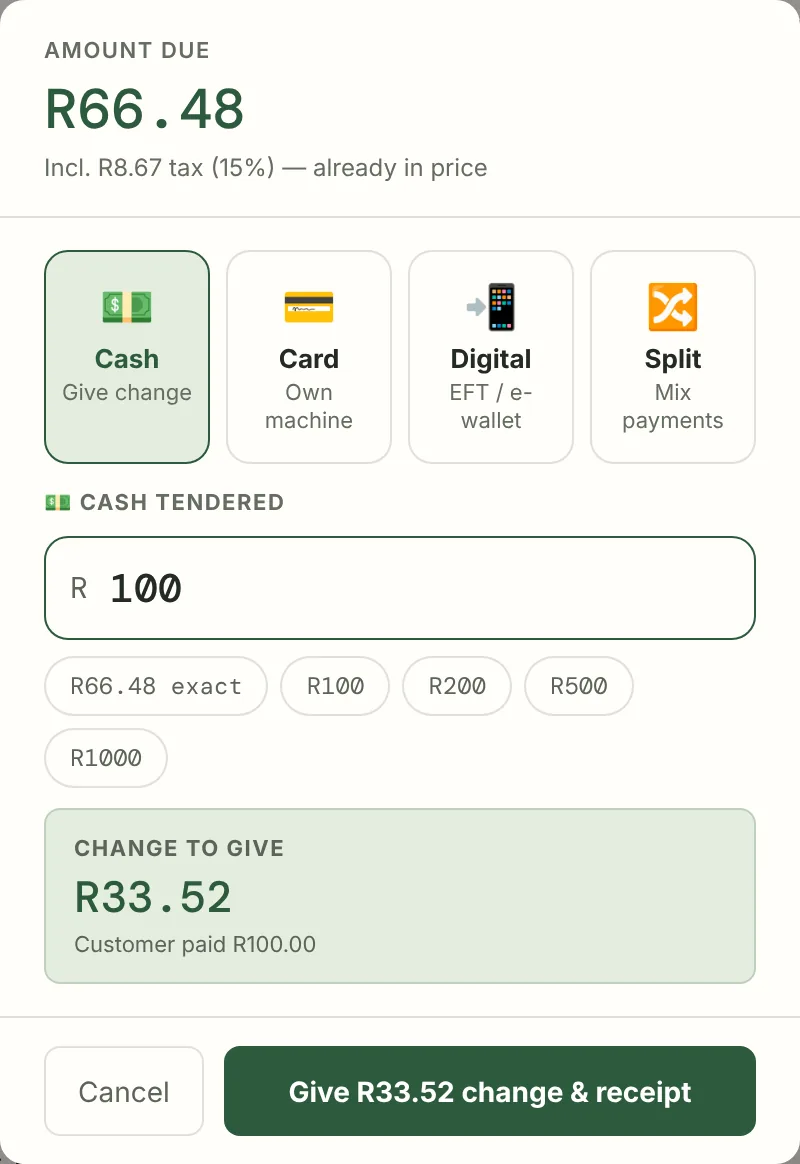
- Payments recorded your way: cash with change worked out, card on your own card machine, QR or EFT, or a split between two methods.
- Receipts with your shop name and logo. Share on WhatsApp, save a PDF or print.
- Orders with a table or name, item notes and kitchen tickets for 80 mm or 58 mm paper.
- Returns, exchanges and voids, with the reason kept.
- End of Day report and cash-up: sales, payment methods, tax, staff, and expected versus counted cash.
- Offline selling once the app has been opened online on that device.
- 57 currencies and menus in English, Español, Deutsch and Filipino. Light and dark mode.
- File backups you download and keep, plus a receipts spreadsheet for Excel or Google Sheets.
What costs money
Two things are paid, and both are optional. You never need them to sell.
- VesselTill Sync, $6 a month or $60 a year. It backs up and restores your till through your own Google Drive, lets you use up to 3 till devices on one Google account, and shows a read-only All tills summary. Paid plans include white label. Eligible users can try it for 14 days without a card. Sync is new and still an early version: each device keeps its own stock, so it is not live shared stock between tills.
- Founding Member, a one-time $50 for lifetime Sync on up to 5 devices, white label and a numbered Founder badge, with a 14-day refund. Spots are limited. Lifetime means for as long as Sync is offered, with at least 90 days’ notice if it ends.
Your card machine or QR provider charges its own fees. Those are between you and your provider; VesselTill does not add to them. Why that matters is explained in why integrated card payments can cost more.
Who it suits, and who it doesn’t
VesselTill suits sellers who want to start with the device they already have:
- Market stalls and pop-ups that need to sell without signal.
- Spazas and small shops with fast-moving products and barcodes.
- Cafés and food stalls that keep orders open until it is time to pay.
- Second-hand shops that buy items from customers.
It is not the right fit if you need any of these today:
- A till that sends the amount to the card machine by itself.
- Live stock shared between several tills.
- A direct Bluetooth or ESC/POS printer connection. VesselTill prints through your device’s normal print window.
- Central management of many branches from one office.
Start selling in three steps
1. Open the till
Go to vesseltill.com/pos on your phone, tablet or computer. Choose your currency and add your shop’s details when you are ready. There is nothing to sign up for.
2. Add what you sell
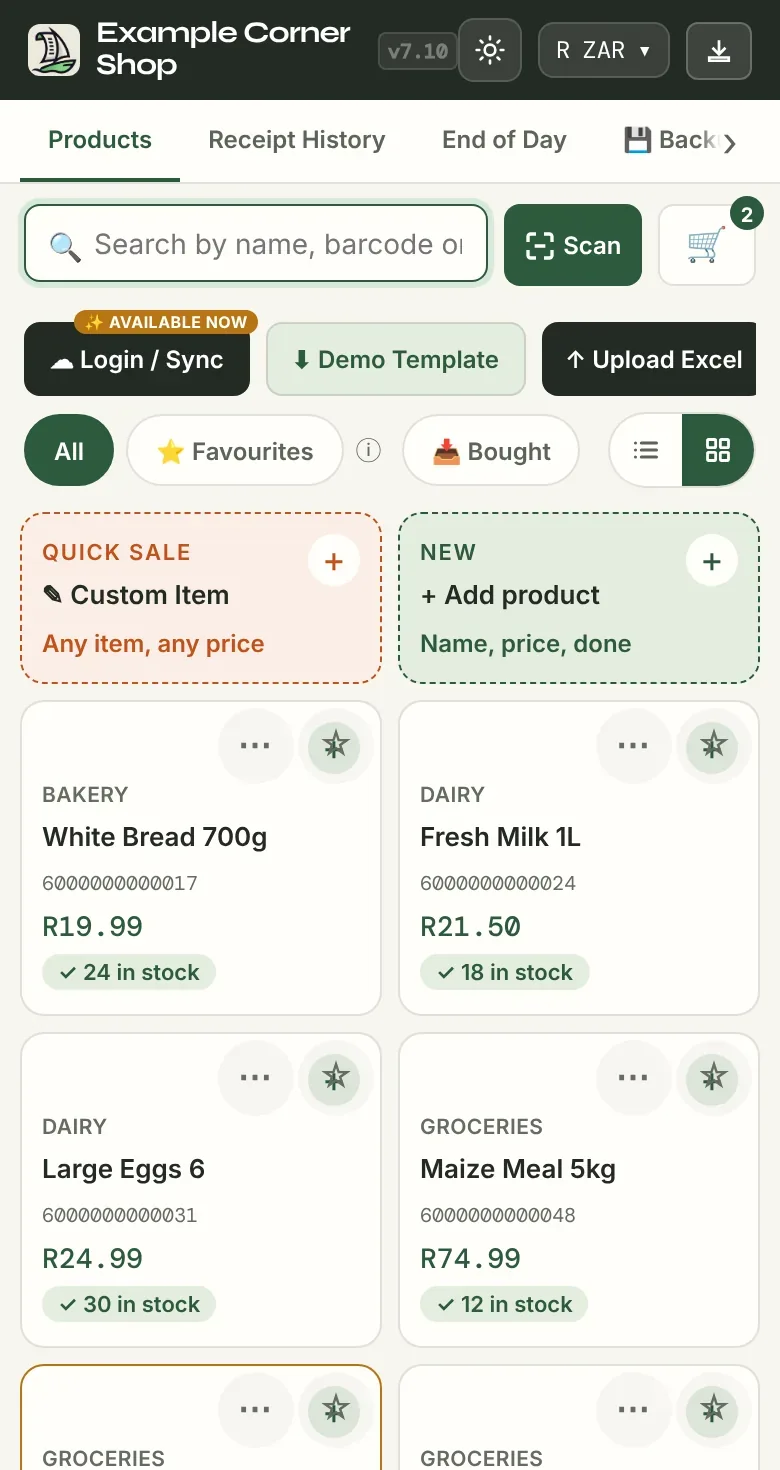
Tap + Add product and enter a name and price, or tap Upload Excel to bring in a list. Stock, categories and barcodes are optional. The Demo Template button downloads an example spreadsheet to copy.
3. Make the sale
Tap products into the sale, tap Charge, choose how the customer paid and confirm. For cash, VesselTill shows the change to give.
The receipt opens straight away, ready to share on WhatsApp, save as a PDF or print.
Where your data is stored
Your products, sales and settings stay in the browser on your device. There is no VesselTill server holding your shop’s sales. That keeps it private and lets it work offline, but it also means you look after the backups. Download a Full Backup file from the Backup tab regularly and keep it somewhere else, or use Sync to back up to your own Google Drive. The help guide on backups explains each file.
For a tour of a whole working day, read how VesselTill works.
Questions
Do I need to sign up to use VesselTill?
No. Open vesseltill.com/pos and start selling. No account, email address or bank card is needed for the free till. Only the optional Sync uses Google sign-in.
Does VesselTill work on my phone?
Yes. It runs in the browser on Android phones, iPhones, tablets and computers. You can add it to your home screen so it opens like an app, and there is a Windows app in the Microsoft Store.
Where is my shop’s data stored?
On your device, in the browser you use for VesselTill. Download Full Backup files and keep them somewhere else, because clearing the browser’s data or losing the device can lose your records.
Is there a catch?
The till is free, with no subscription, no ads and no fee per sale. The paid part is Sync, for Google Drive backup and more devices, and you never need it to sell. The one thing to remember is backups: your records live on your device, so keep copies.
What languages does VesselTill support?
The menus are available in English, Español, Deutsch and Filipino, with English as the fallback. You can choose from 57 currencies.