 VesselTill
Guide
How VesselTill works: a simple guide to the free till
VesselTill (sometimes written Vessel Till) is a free till app, also called a POS or cash register, that runs in your browser. You add your products, tap them into a sale, choose how the customer paid and share a receipt. Everything is saved on your device, so it works offline, and stock, refunds and the end-of-day cash-up are built in.
A sale from start to finish
Open the till at its web address, like any online till. Your products sit in a grid on the left; the current sale builds up on the right.
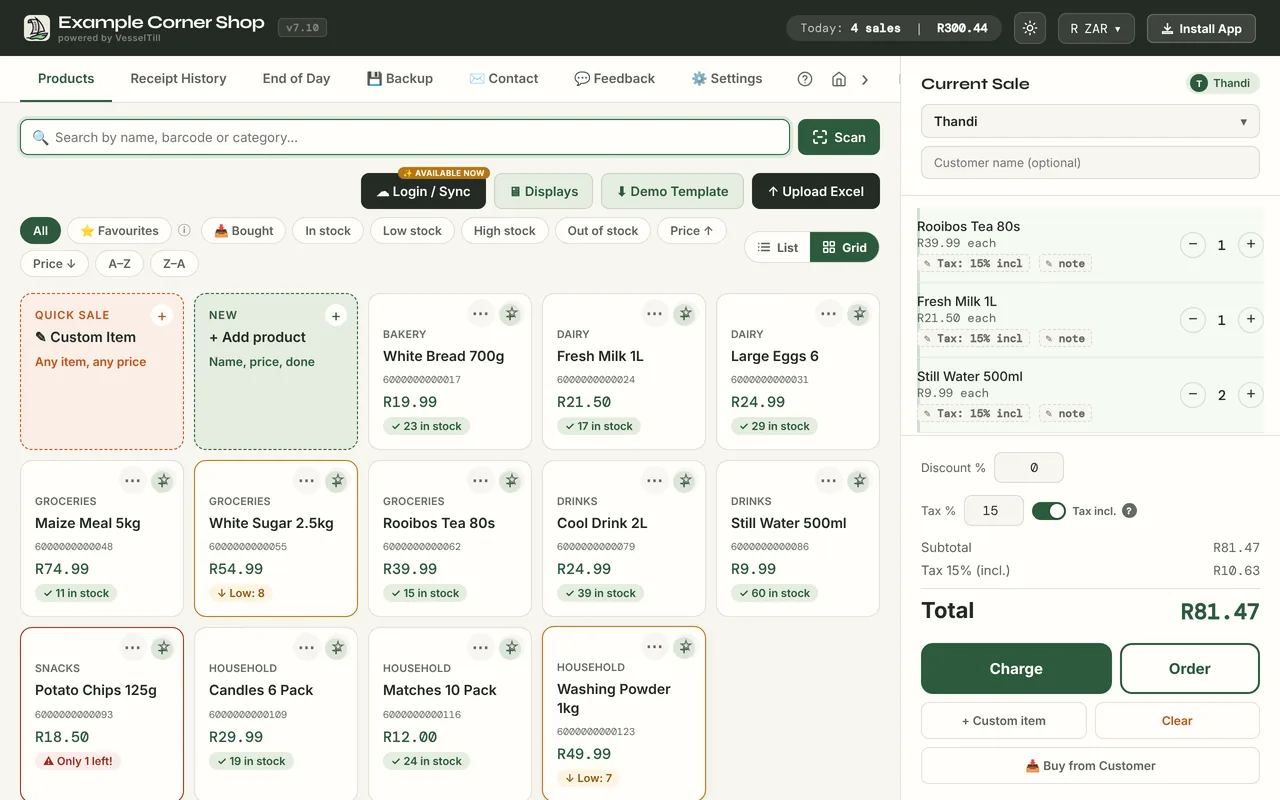
- Add items. Tap products, search by name, or scan a barcode with the camera or a USB scanner. Use + Custom item for anything not in your list.
- Check the total. Change a quantity, add a discount or a note. Tax is shown as included or added, the way you set it.
- Tap Charge and choose how the customer paid: Cash, Card on your own machine, Digital for QR or EFT, or Split across two.
- Confirm. For cash, VesselTill shows the change first. The sale is saved and stock goes down.
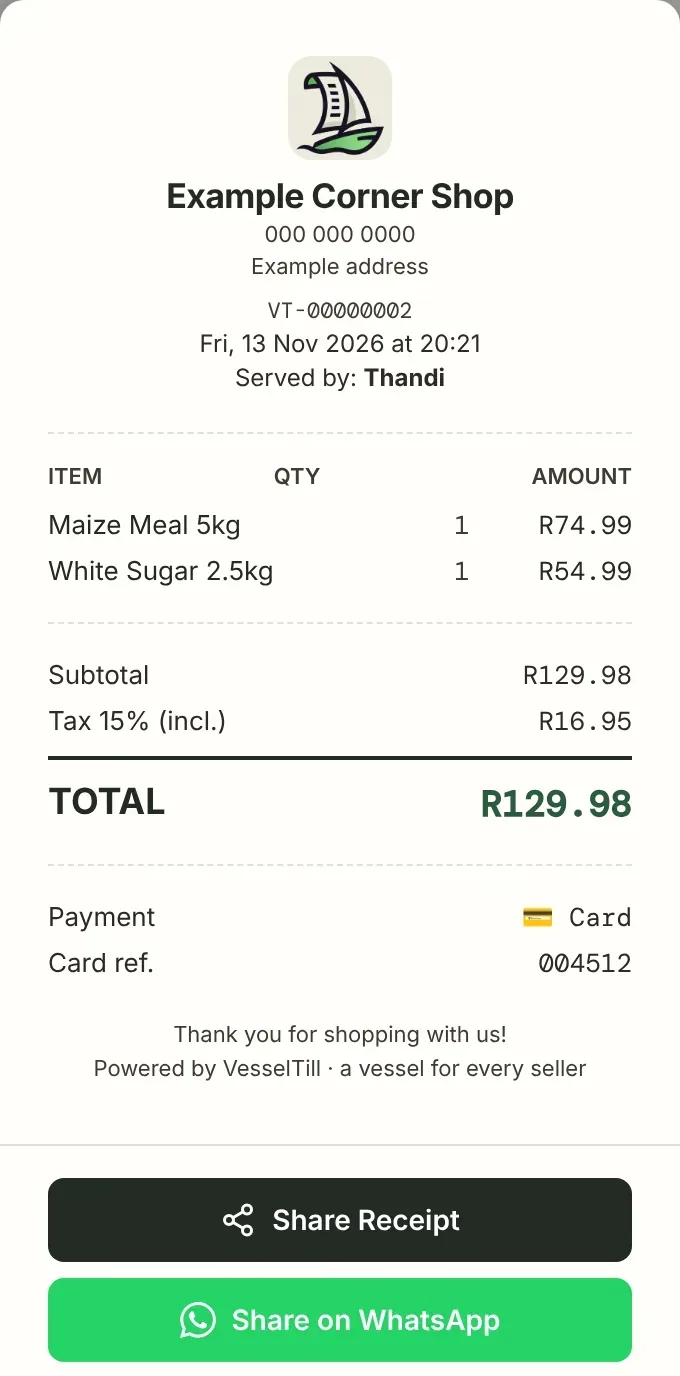
- Share the receipt on WhatsApp, save a PDF, email or print it.
Cafés and takeaways can tap Order instead of Charge to keep an order open with a table or name, then take payment later.
Stock
If you give a product a stock count, VesselTill counts it down with every sale and puts it back with every return. Filters show what is low or out of stock, and you can adjust quantities when a delivery arrives.
Can’t delete a product or a sale?
That is on purpose, so your records stay complete. A product you no longer sell is archived: it leaves the till, its history stays, and you can bring it back from the 🗄 Archived filter. A sale rung up by mistake is voided with a reason: it leaves your totals and waits under 🗑 Voided in Receipt History, where you can restore it. To wipe every receipt and start again, use Clear All Receipt Data in the Backup tab, after saving a backup.
Refunds and exchanges
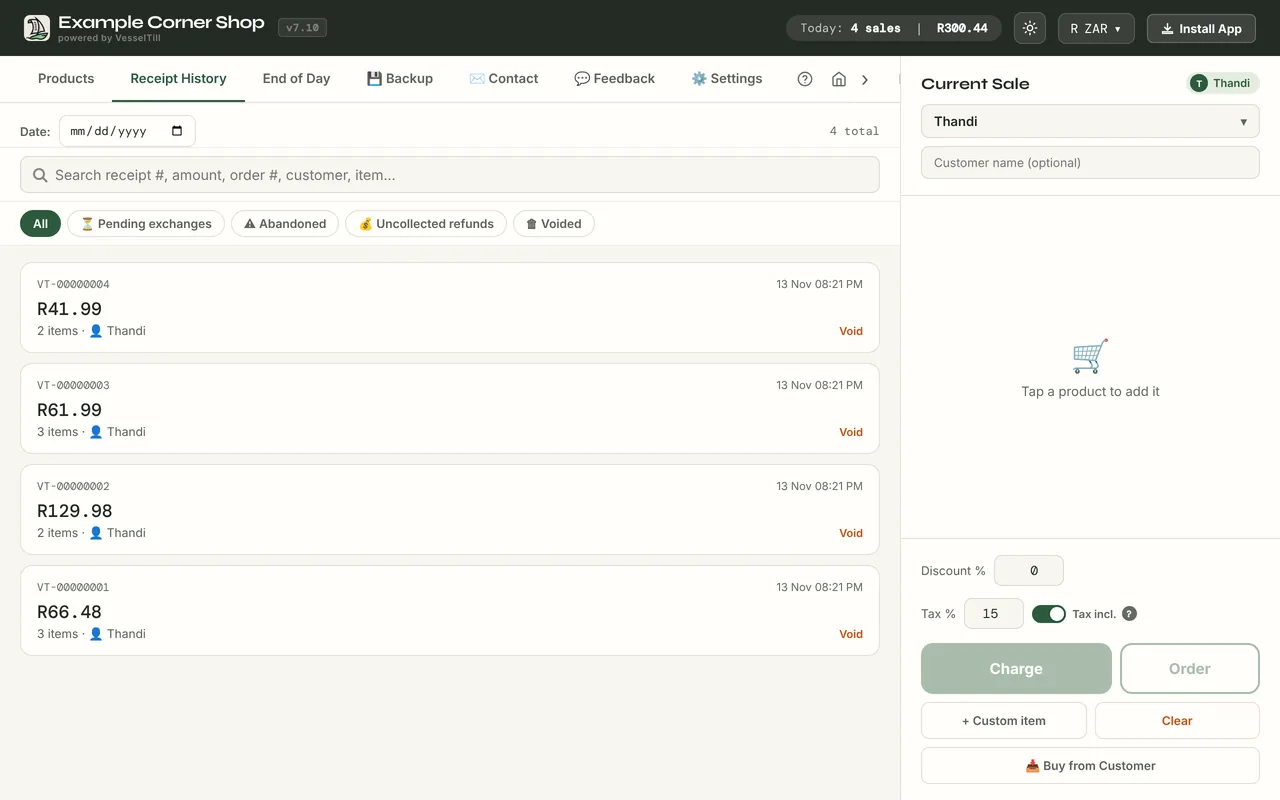
Open Receipt History and find the sale. The search box finds a receipt by its number, amount, order number, customer or item. Open it, tap Return / Exchange, choose the items coming back, then choose Refund (cash, card or store credit) or Exchange. Stock is updated for you. With an exchange, the items coming back become credit on the new sale. If the new items cost less than that credit, VesselTill shows the balance to give back and asks how: cash, card or store credit.
Recording a refund doesn’t send money, so hand over the cash or refund on your card machine as well.
End of day and cash-up
The End of Day tab shows a day, week or month: sales, items sold, refunds, payment methods, tax collected, products and staff. Download it as a PDF, send it by email or print it.
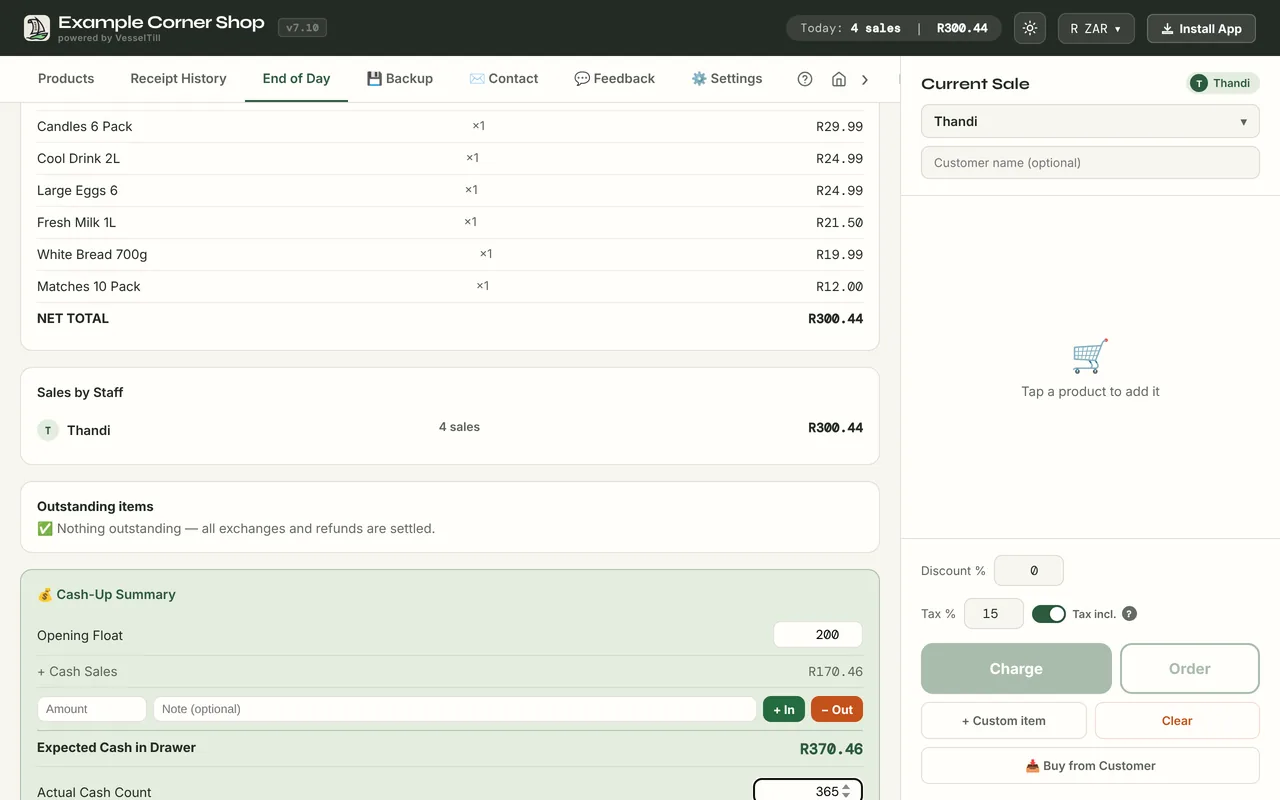
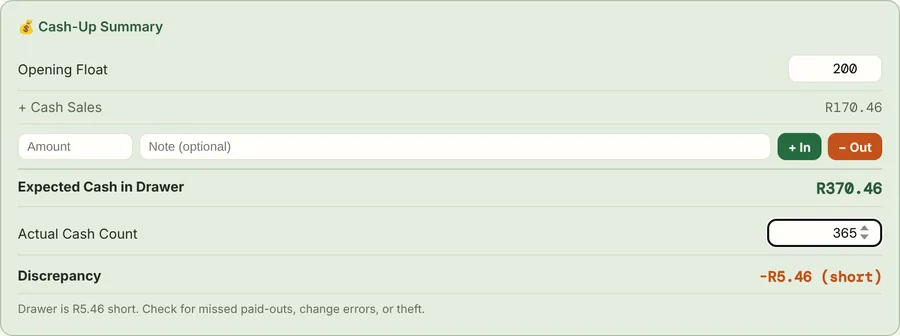
In the Day view, the cash-up works out what should be in the drawer: opening float + cash sales − cash refunds + paid-ins − paid-outs − cash purchases. Count the cash, type in the actual amount, and VesselTill shows whether you are balanced, over or short.
Where your data lives
Your products, sales and settings are stored in the browser on your device. That is why VesselTill works offline and why there is no account to create. It also means backups are your job: download a Full Backup (JSON) from the Backup tab and keep it somewhere safe. If you want it automatic, Sync backs up to your own Google Drive. Analytics only count that things happened, such as that a sale was completed and its payment type; they never include sales figures, prices, products or customer details. Read more in how to run a till with no internet.
Free, Sync and Founding Member
| Plan | Price | What you get |
|---|---|---|
| Free | $0, forever | The full till on one device: products, stock, scanning, sales, orders, receipts, returns, reports, cash-up, offline selling and file backups. No account. |
| Sync | $6/month or $60/year | Backup and restore through your own Google Drive, up to 3 till devices on one Google account, a read-only All tills summary and white label. Early version: each device keeps its own stock. 14-day trial without a card for eligible users. |
| Founding Member | $50 one-time | Lifetime Sync for as long as Sync is offered (with at least 90 days’ notice if it ends), up to 5 devices, white label and a numbered Founder badge. Limited spots, 14-day refund. |
More about what is free in the free till app guide, and the details in the help guide on Sync.
Who built VesselTill, and why
VesselTill is built by Lourens De Jager in Potchefstroom, South Africa. After more than 14 years in retail, he had seen how much gets between small sellers and a simple sale: accounts, subscriptions and hardware lock-in. He taught himself to code and built a till you can simply open and use. The idea fits in five words: a vessel for every seller.
Questions
Do I need to log in to use VesselTill?
No. The till works without an account or login. Only the optional Sync asks you to sign in with Google, so it can back up to your own Google Drive.
Is my shop’s data private?
Yes. Your sales, products and customers stay on your device and are not sent to a VesselTill server. With Sync, backups go to your own Google Drive. Analytics only count usage, such as that a sale happened and its payment type, never amounts, products or customer details.
What does Sync add?
Sync backs up and restores your till through your own Google Drive, supports up to 3 till devices on one Google account, shows a read-only All tills summary and includes white label. It does not share live stock between tills.
What happens if I stop paying for Sync?
You keep the free till and all the data on your device. Selling and file backups carry on as before; only the Google Drive backup and the extra Sync features stop.
Is VesselTill a real, maintained product?
Yes. It is built and maintained by Lourens De Jager in South Africa, updated regularly, and also available as a Windows app in the Microsoft Store. The contact form on vesseltill.com goes straight to him.